Know What Will Break Before It Breaks
Content safety for Craft CMS. Homer analyzes impact before deletions, guards against accidental breakage, and logs every risky action.

See It in Action
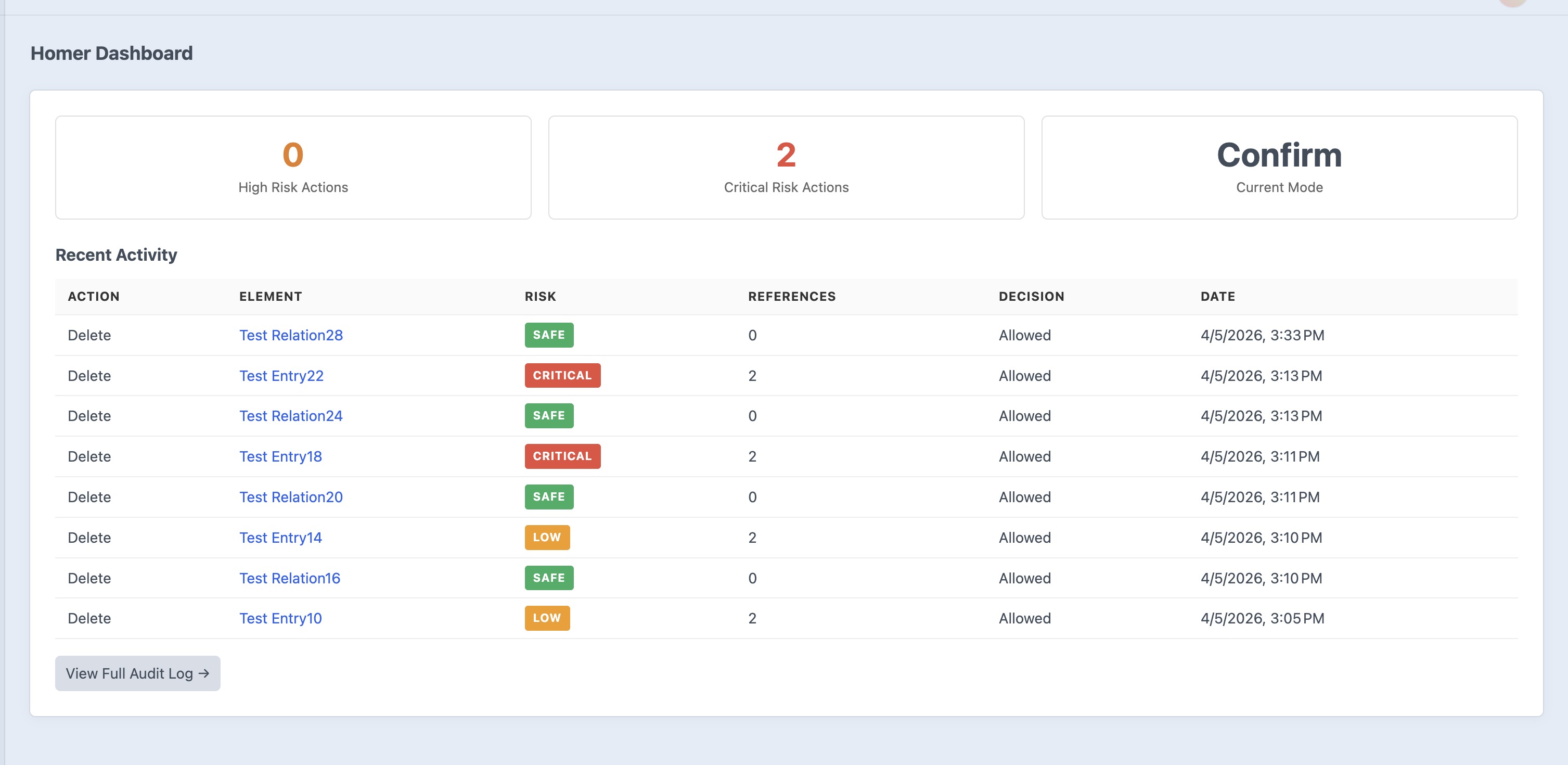
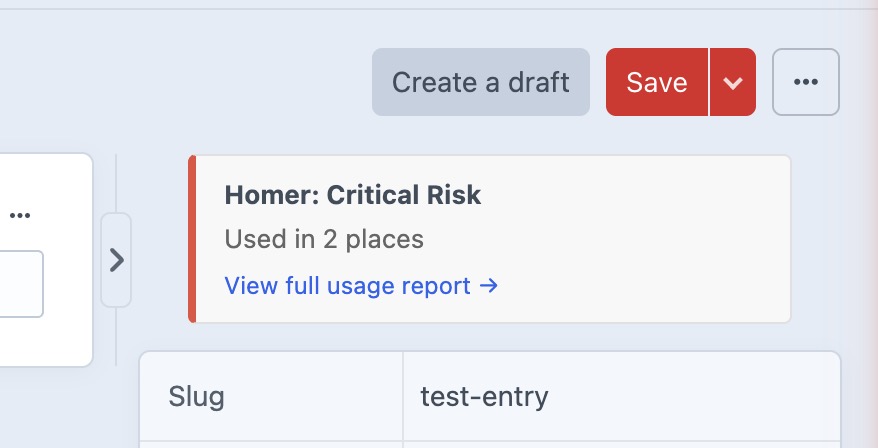
Homer shows you exactly what will be affected before you make a dangerous change.
Features
Everything you need to protect your content from accidental breakage.
Impact Analysis
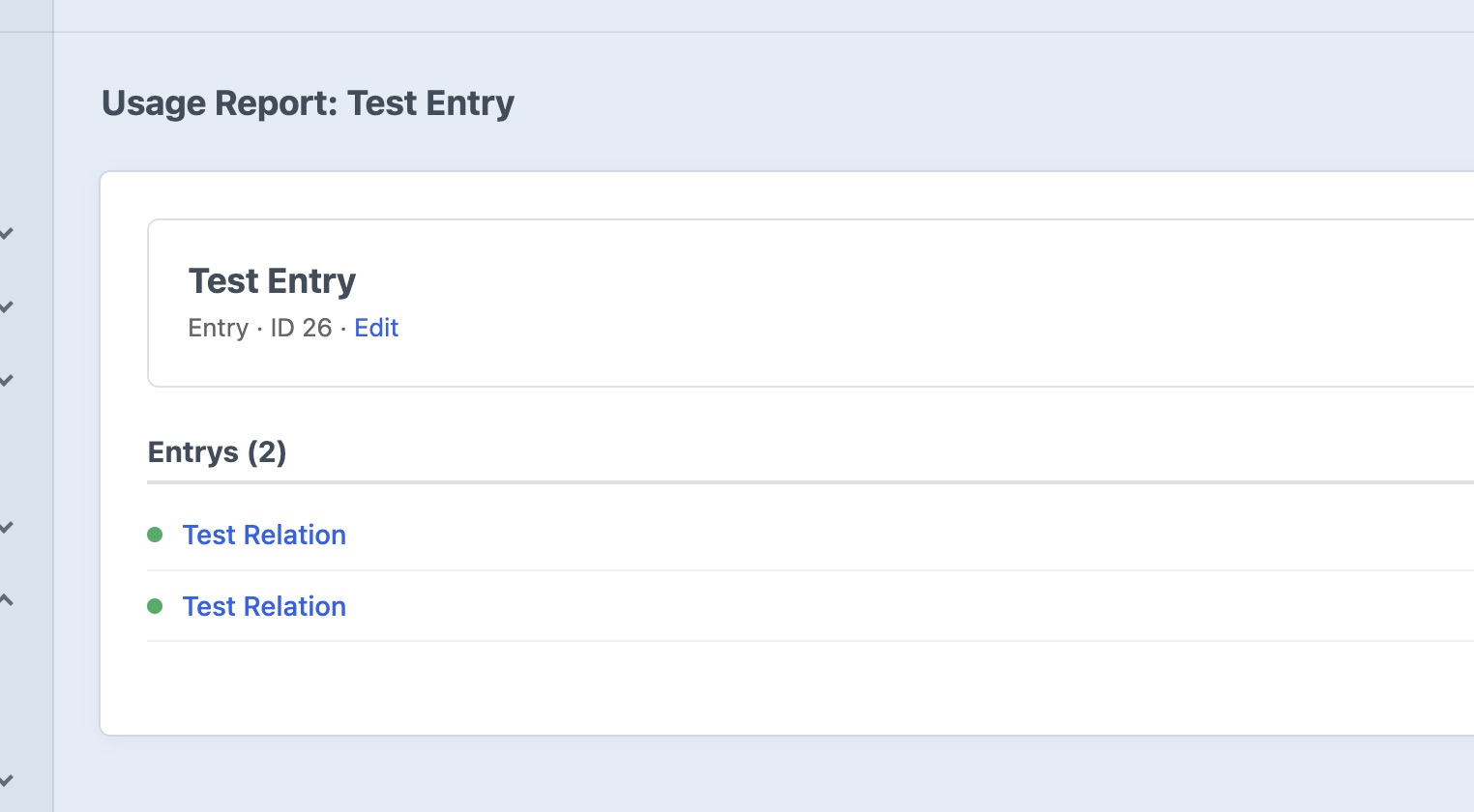
Before any deletion, Homer builds a usage graph showing exactly how many elements reference the target, which fields connect them, and the status of every referencing element. No more guessing what might break.
Risk Classification
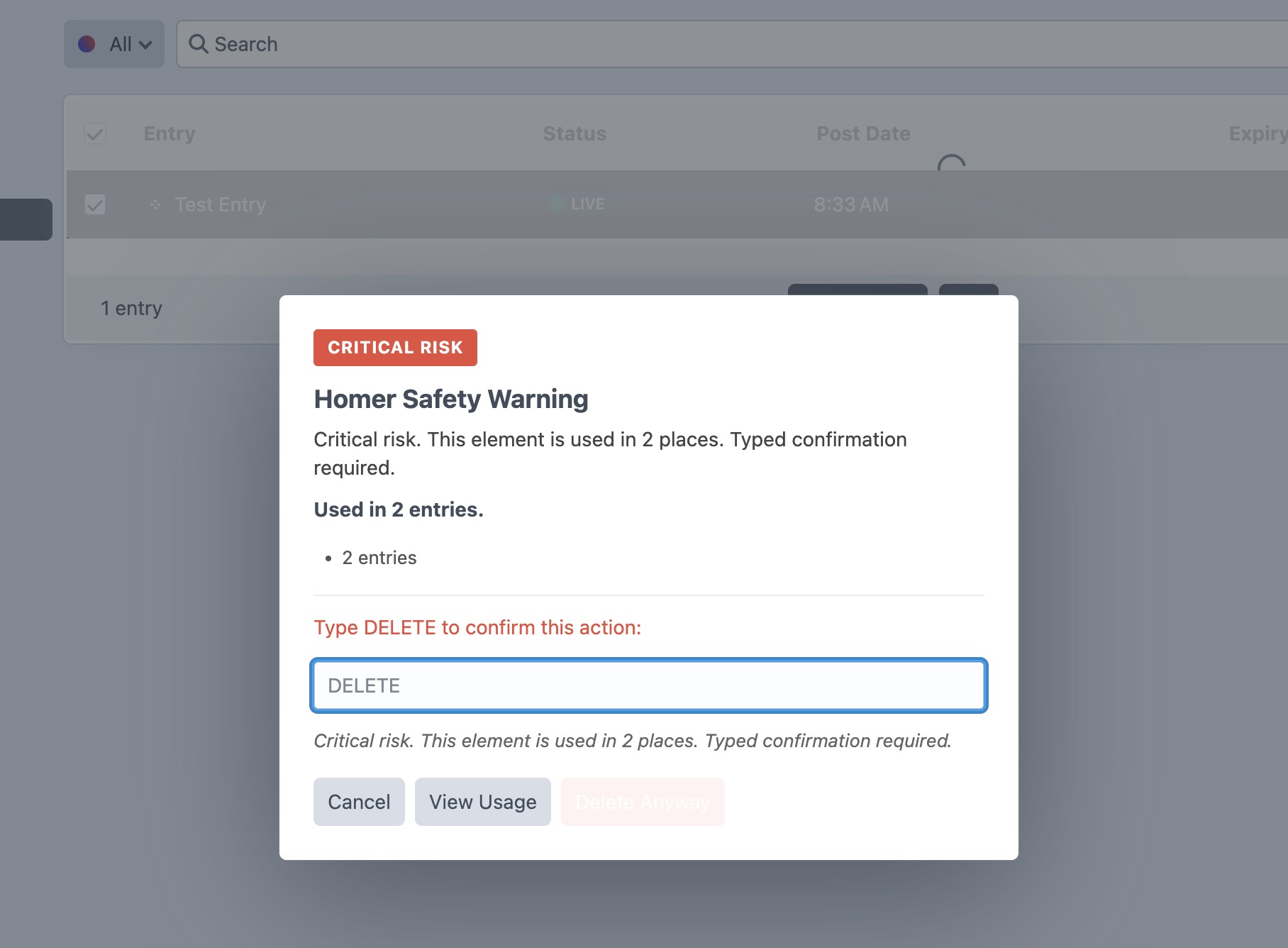
Every action is classified as Safe, Low Risk, High Risk, or Critical based on reference count. Critical actions require typing “DELETE” to confirm, so dangerous changes can’t happen by accident.
Deletion Guards
Three configurable safety modes: Warn shows what will be affected, Confirm requires acknowledgment, and Block prevents risky deletions entirely. Choose the right level of protection for your team.
Environment-Aware Safety
Warn in staging, block in production. The strict environments setting lets you enforce different protection levels per environment, so development stays fast while production stays safe.
Audit Logging
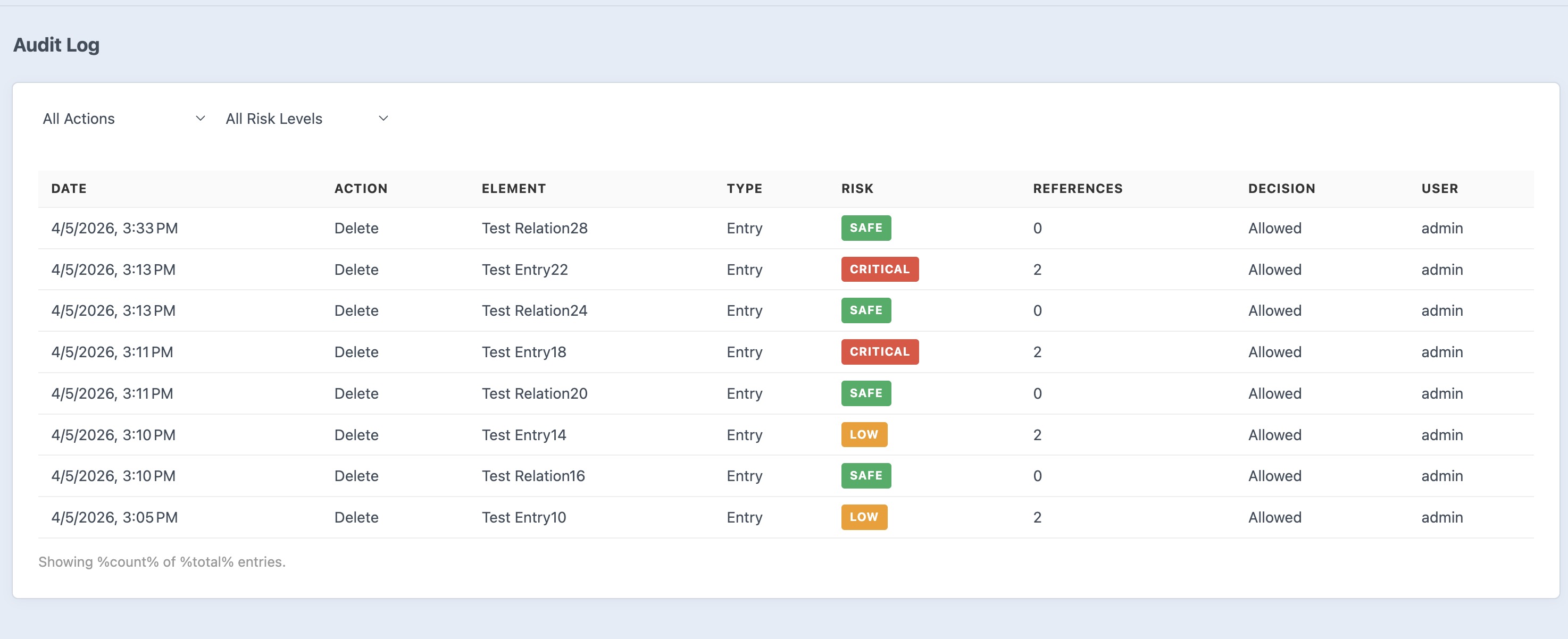
Every risky action is logged with full context: who did it, what was affected, the risk level, reference count, and whether the action was allowed, confirmed, or blocked. Complete accountability for your content team.
Asset Safety
Assets get special treatment. Homer detects references in relation fields, image fields, and even rich text content via Craft’s search index. It can also identify unused assets for safe cleanup.
CP Integration
Usage badges on element edit pages, a dedicated dashboard with recent high-risk actions, an orphaned entry finder, unused asset review, and a full impact report explorer. Everything lives right in the Craft control panel.
Granular Permissions
Five dedicated permissions let you control who can view impact reports, bypass warnings, override blocks, access the audit log, and manage settings. Give content editors the guardrails they need while keeping admins in full control.
Frequently Asked Questions
Common questions about Homer.
Yes. Homer is completely free and open source. Install it from the Craft Plugin Store or via Composer at no cost.
Homer prevents accidental content breakage by analyzing the impact of deletions on entries, assets, and categories. It shows you exactly what will be affected before you make a change, so nothing breaks by surprise.
Warn shows what will be affected but allows the action. Confirm requires acknowledgment before risky actions proceed. Block prevents risky deletions entirely. You can choose the right level for your team and environment.
No. Homer only runs its analysis when a deletion or risky action is attempted in the control panel. It has zero impact on front-end page loads.
Yes. The strictEnvironments setting lets you force block mode in production while using warn mode in development or staging. This keeps development fast while keeping production safe.
By default, Homer protects entries, assets, and categories. You can configure the protectElementTypes setting to add or remove element types as needed.
Yes. The adminBypass setting (enabled by default) lets administrators bypass all checks when needed. You can also grant specific users the homer:bypassWarnings or homer:bypassBlocks permissions.
Homer requires Craft CMS 5.3 or later and PHP 8.2 or later. It works with both MySQL and PostgreSQL databases.
By default, audit logs are retained for 90 days. You can adjust this with the auditLogRetentionDays setting in your config file.
Yes. Create a config/homer.php file to set all options including mode, thresholds, protected element types, feature toggles, and environment overrides. Multi-environment configs are fully supported.
Ready to get started?
Install Homer in your Craft CMS project today — it’s free.